
Ming's Zone
BlogsProducesDescription of Catching Dream
1 User story
When I have my own time, I often devote my time to non-important things (not urgent and not important, such as playing a game). During this time, I want to do something important (important but not urgent).
When I want to do something important in my free time, many things will flash through my mind, and sometimes I may forget some important things. To sum up, I don't know which one I want to do in the end, and finally give up.
Later, I tried to use most of the methods of managing tasks, wrote down everything I wanted to do on paper and marked the priority. When I have free time, I will pick up the list to choose a thing.
Over time, I want to mark the invested time and progress of the things on the list, and find it more troublesome to record and modify. At this point, I think I should use a more intelligent way to record and track these data.
2 Description
This App is used to manage your targets and track the progress and investment time of the target completion. The target means those important but not urgent things.
You can manage your targets by creating them and dividing them into multiple tasks. By disassembling the target, you can better understand the target. By gradually completing each task involved in the target, you can complete the target step by step in a planned way.
The app can intuitively display the progress and invested time of all tasks for each target. After each time you invest time in the target task, update the progress and investment time of the task in the App.
When you have your own time and want to devote yourself to the target, open the App and choose to devote this period to a task through the completion of the current target. Through continuous accumulation, you may eventually achieve your target. When you complete your target, you will know the time you have invested in the target and the task list you have completed through the App.
2.1 Create Target
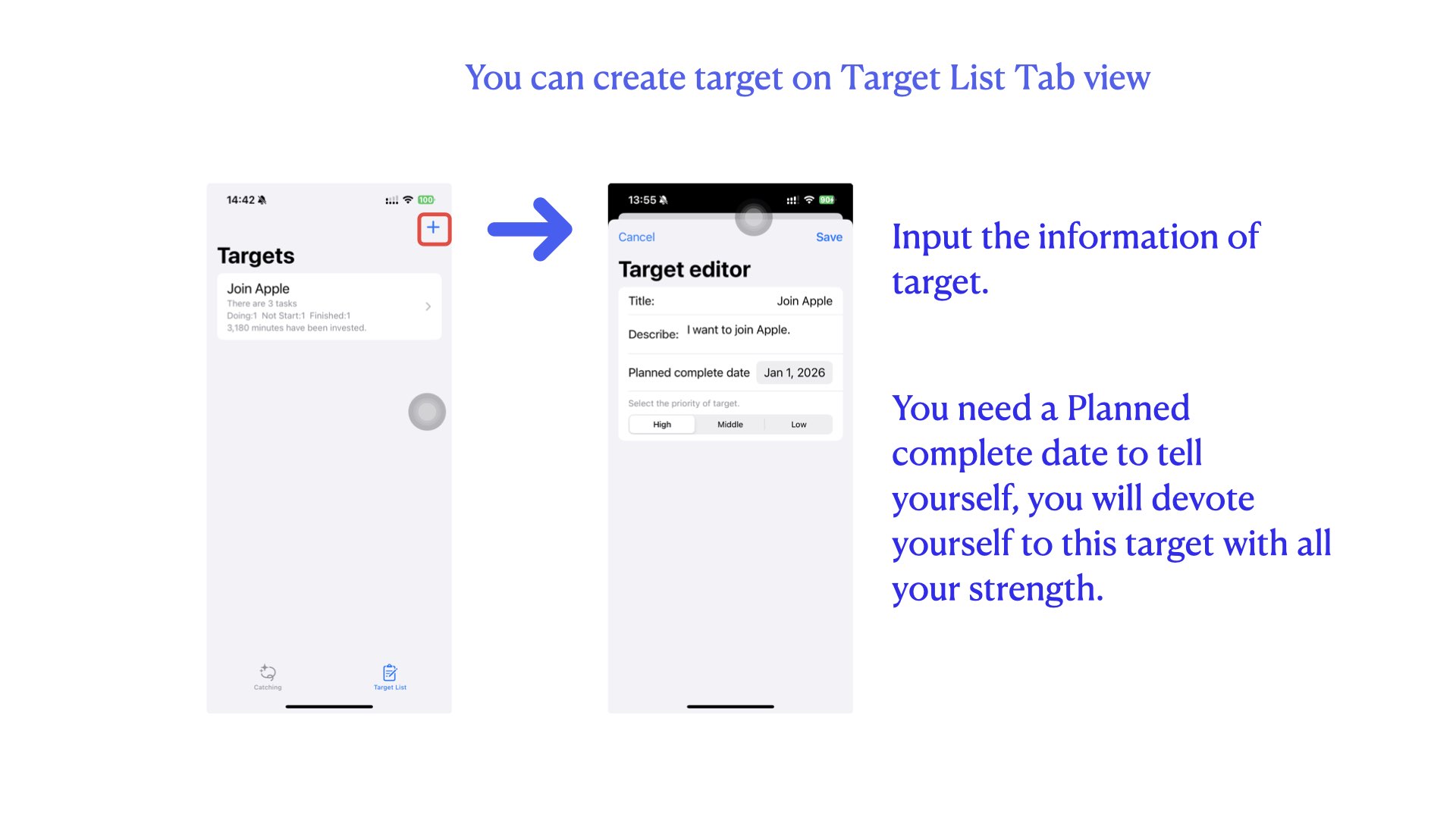
In the first, you need create your target data on the app. The information of target include:
- title
- describe
- Planned complete date
- priority of the target
The target is the thing what is importent but not urgent. In general, this is the most valuable thing.
You were create a target means you make a promise to yourself that you will devote yourself to this target with all your strength.
In the version 1.0 of this app. You can create two targets which not finished. I think this way make you can focus on limited targets, which can improve the success rate of target completion. You can create a new target when you finished a target.
2.2 Create task for target
You can create tasks for target after create target.
Task is a step of target completed. You will analyze the target and divide it into multiple tasks to complete.
For example, I have a target what is I want to join Apple. I try to analyze this target, I need to complete at least these tasks to have a chance to achieve the target:
- make a resume
- Improve my Swift programming level
- I must reach the professional standard of spoken English.
Completing these tasks does not mean that I will definitely join Apple. But at least I will have a chance to join Apple.
Another example, I want to have a happy life, it's a good target. To complete this target, I have two task:
- Read books
- Play games I have a read list and a game list I like. But I am often take my iPhone to play a simple game if i have time, I forgot my list. I can't invested time to my target. Use this app, I will open the app when I have free time. I will select a task from a target from the list. My time will invested to my target.
So you can add tasks to the target, As shown in the figure below:
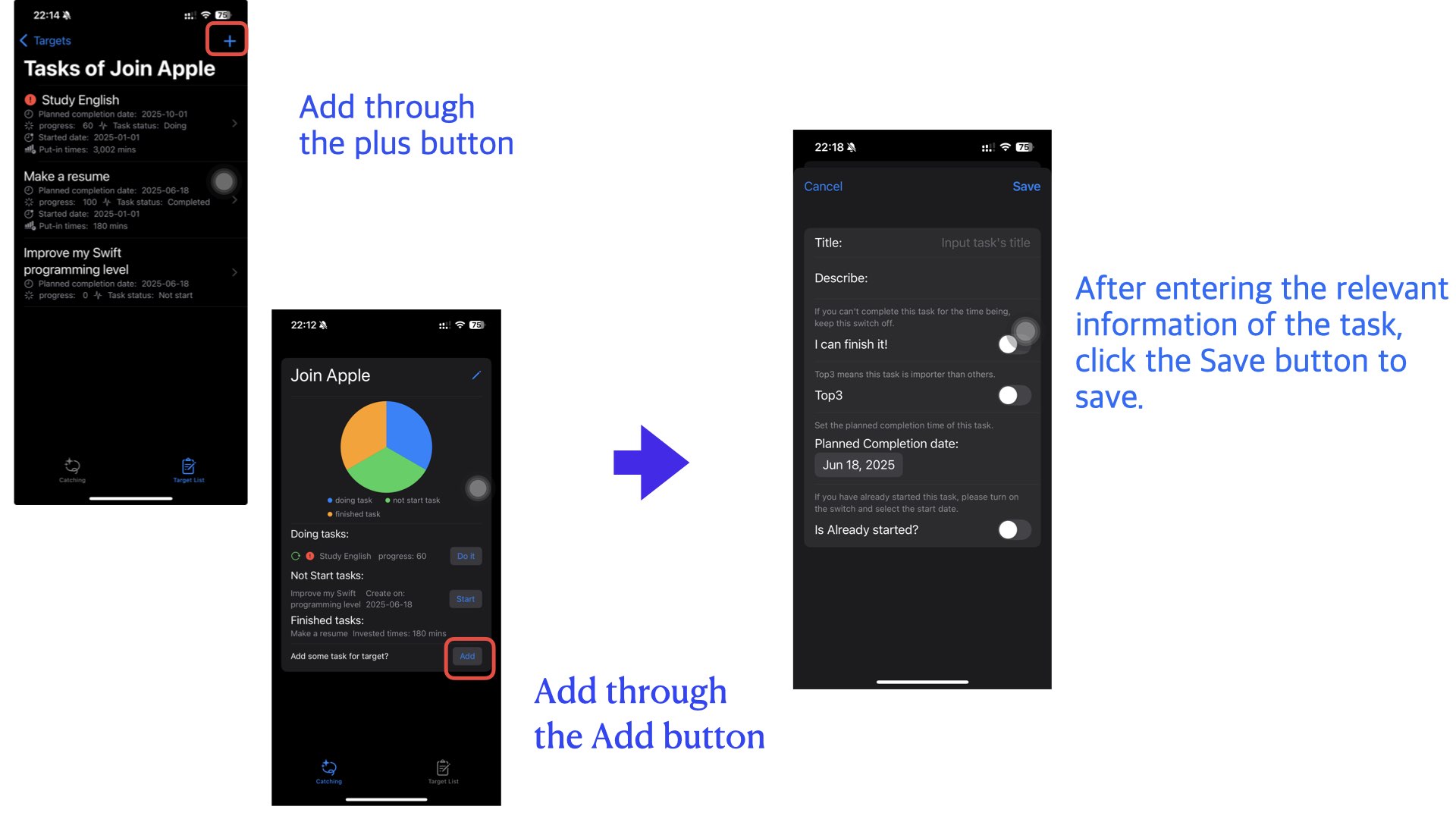
Note that there is an attribute called Top3 in the task information. The top3 is a tag means this task is importent then others which is not top3.
2.3 Target detail
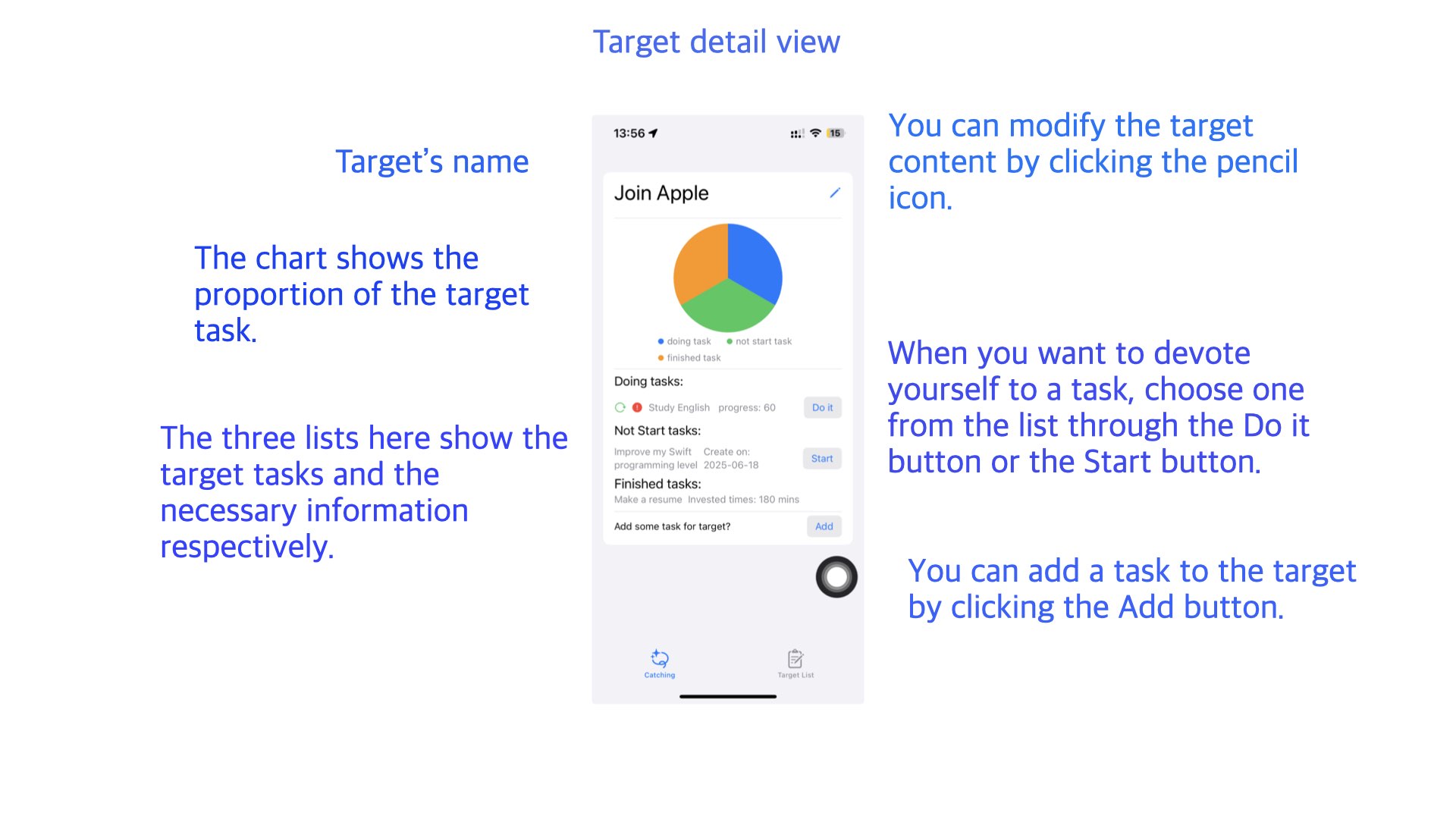
Target detail view is the default view of App. A target detail contains the following contents:
- A chart of tasks
- Doing tasks list
- Not start tasks liat
- Finished tasks list
Open the App and select a task from the list when you want to do something important. The target detail is a very simple data interface, only the necessary content is displayed in the interface.
2.4 Invested time to task
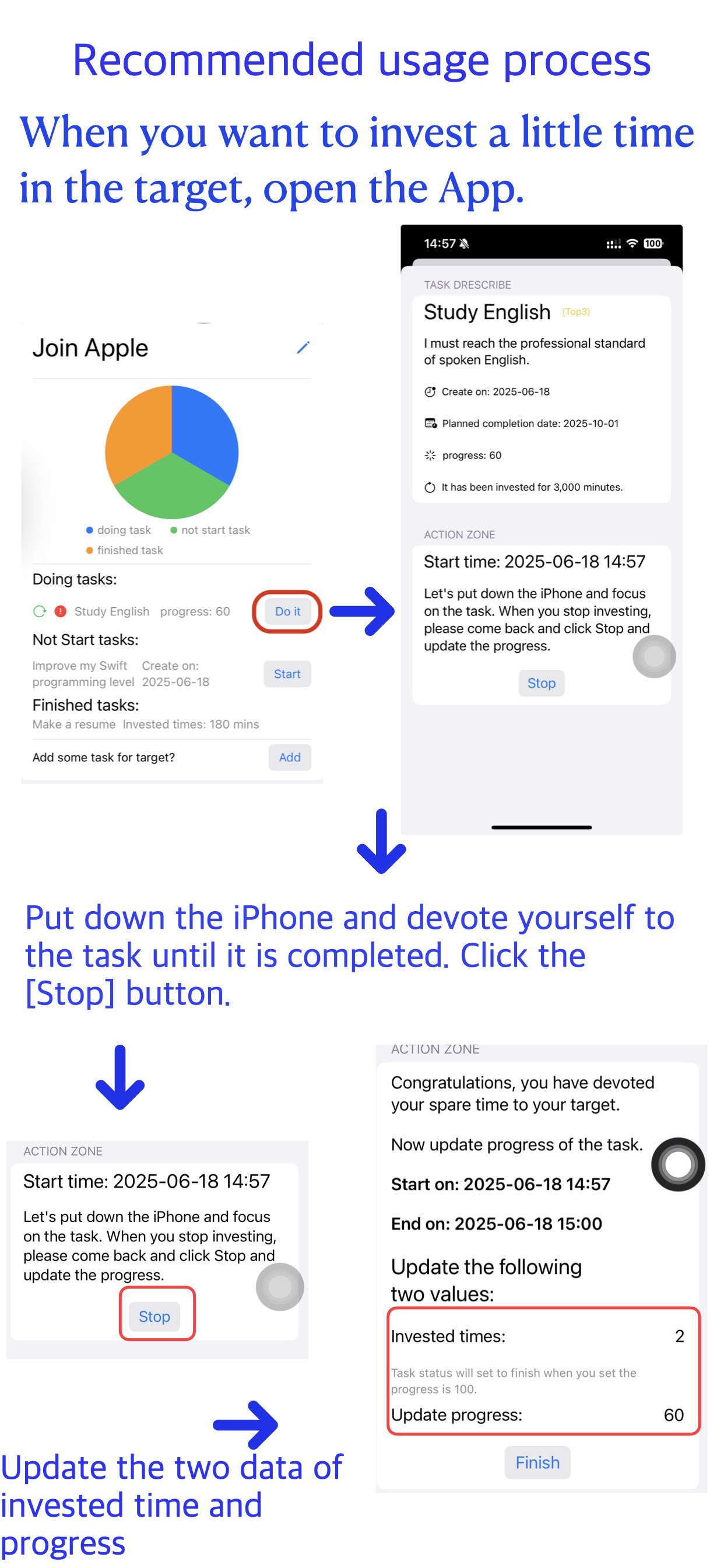
When you have time at your disposal, you can open your iPhone to play games, or open the App, check your target, and choose a task to do. I think when you see the time you have invested in the target and the current progress, you will want to devote yourself to your target more. At least this is the original intention of making this App.
Choose a task you want to do. Click the Do It or ** Start** button next to the task from the target detail view. Then please put down your iPhone and devote yourself to the selected task. After you click Do It or Start button, you will enter a task started view. You can stay in this view or you can quit the App. Update task's progress and invested time after you stop investing.
3 Contact me
If you have any questions or suggestions, please contact me by: mikelv1227@icloud.com For the privacy policy of the Baby Daily Statistic, please check the details through click here.